
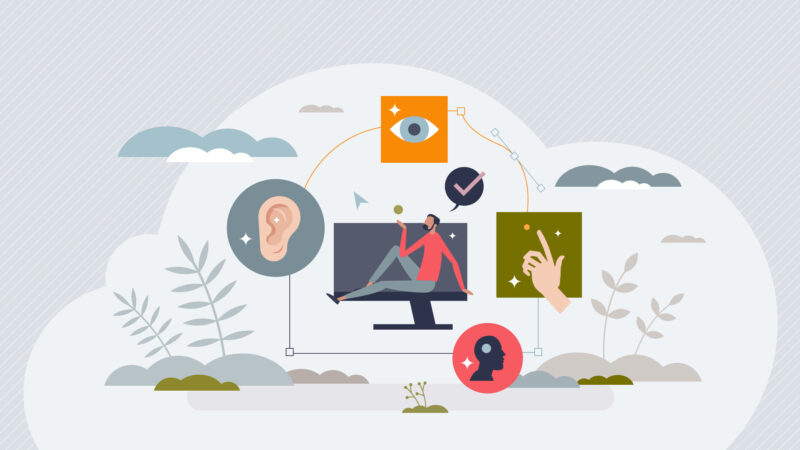
Digital accessibility is more important than ever. It ensures that everyone can use your website, regardless of ability.
But what exactly is digital accessibility? It means designing websites that everyone can navigate and understand.
This includes people with disabilities, who often face barriers online. Removing these barriers is crucial for inclusivity.
Web accessibility is not just a legal requirement. It’s also a moral responsibility for web creators.
Accessible websites can improve user experience and satisfaction. They can also boost your site’s SEO/AIO and reach.
In this guide, we’ll explore five essential tips to enhance your website’s accessibility. These tips are practical and easy to implement.
You’ll learn how to use semantic HTML and ARIA roles. We’ll also cover making multimedia content accessible.
By the end, you’ll understand how to create a more inclusive digital experience.
Understanding Digital Accessibility: Definitions and Importance
Digital accessibility ensures web usability for everyone, including those with disabilities. But to fully grasp its importance, let’s explore the definitions.
Digital accessibility means making all web content accessible to all, regardless of a person’s physical or cognitive abilities. It involves designing digital experiences that remove interaction barriers.
Web accessibility emphasizes inclusivity. It ensures that everyone, from all walks of life, can engage with digital content effectively. This makes accessibility a broad concept, applicable to websites, applications, and documents.
Accessibility definition in web design focuses on inclusive digital experiences. Websites should be navigable and understandable for all users, regardless of limitations.
Ultimately, when we define web accessibility, it’s about removing obstacles and providing equal access. This practice plays a crucial role in creating an equitable online environment.
Key Elements of Digital Accessibility:
- Semantic HTML: Provides meaningful structure to web content.
- ARIA Roles: Enhance accessibility, especially for screen readers.
- Descriptive Alt Text: Conveys information for images.
- Captioned Media: Supports users with hearing impairments.
- Keyboard Navigation: Enables use without a mouse.
Digital accessibility is not just a requirement. It’s a commitment to creating inclusive experiences. The legal implications of non-compliance can be significant. However, the broader impact is about creating a fair and equitable digital world.
Recognize that digital accessibility benefits everyone, not just those with disabilities. It improves user experience, boosts SEO, and extends your digital reach. Understanding and implementing accessibility is an ongoing journey that promises a better web for all.
Tip 1: Use Semantic HTML and ARIA for Meaningful Structure
Semantic HTML is crucial for digital accessibility, giving your website a logical structure. Each element’s purpose should be clear and intuitive, enhancing usability for all users.
HTML5 introduced new semantic elements like <header>, <footer>, and <article>. These elements provide better context for assistive technologies, allowing screen readers to interpret content accurately.
ARIA (Accessible Rich Internet Applications) roles complement semantic HTML by adding meaningful metadata to elements. This helps users with disabilities navigate complex web applications.
Applying ARIA attributes correctly ensures dynamic content is accessible. This becomes essential in applications with interactive elements like sliders or tabs, which aren’t natively accessible.
Creating a clear and meaningful structure is crucial. Here are simple steps to follow:
- Use elements according to their intended purposes, like <nav> for navigation.
- Assign ARIA roles where necessary, especially in dynamic sections.
- Regularly review your HTML and ARIA usage for effectiveness.
While semantic HTML provides basic structural context, ARIA attributes define relationships and states. This dynamic interplay enhances overall user experience and ensures no one is left behind.
Remember, semantic HTML and ARIA roles aren’t just technical requirements. They reflect your commitment to accessibility and inclusivity. Using them effectively not only aids assistive technologies but also lays the foundation for a website that’s logical and intuitive to navigate for every user.
Embrace these technologies as part of your web development strategy. They are investments in your site’s usability and accessibility, ensuring that every visitor experiences a seamless interaction with your content.
Tip 2: Make Visual and Multimedia Content Accessible
Visual and multimedia elements enhance web content but can pose barriers. Ensuring these elements are accessible is crucial for all users, including those with disabilities.
Images should always have descriptive alt text. This text allows screen readers to convey what sighted users see, making images more inclusive.
For videos, provide captions and transcripts. Captions help users with hearing impairments, while transcripts offer an alternative way to access the content.
Audio content should also include transcripts. This ensures users with hearing impairments don’t miss important information conveyed through sound.
Visual elements should maintain strong contrast. High contrast improves readability for users with visual impairments and enhances general usability.
Follow these tips to make multimedia content more accessible:
- Add alt text to all images.
- Provide captions for videos.
- Offer transcripts for audio and video.
- Use high contrast color schemes for text and backgrounds.
Additionally, avoid autoplay for audio and video content. Autoplay can disorient users and consume unnecessary bandwidth, especially for those relying on assistive devices.
It’s essential to remember that accessible content benefits everyone, not just those with disabilities. By providing these options, you make your website more inclusive and user-friendly.
Making visual and multimedia content accessible is a step toward a more inclusive web experience. By considering all users’ needs, you contribute to a more equitable digital environment, ensuring your content reaches a wider audience effectively.
Tip 3: Ensure Keyboard Navigation and Logical Layout
Keyboard navigation is vital for users who cannot use a mouse. Many users depend on keyboards for browsing, so your site must be keyboard-friendly.
Ensure all interactive elements are reachable via keyboard. This includes links, buttons, and form fields. Users should be able to tab through these elements seamlessly.
Logical layout aids navigation for all users, reducing cognitive load and improving usability. Consistency in layout helps users predict where elements are on a page.
Focus on creating a clear tab order. This ensures users can easily follow the flow of your website, enhancing their experience regardless of disability.
Here’s how to optimize keyboard navigation and layout:
- Test your site for keyboard-only navigation.
- Maintain a logical tab order.
- Use landmarks and headings for structure.
- Ensure skip navigation links are available.
Using headings and landmarks allows screen readers to provide better context. Clearly structured websites make it easier to find information quickly and efficiently.
Ensure all users can accomplish tasks without frustration. This not only includes those with disabilities but also benefits anyone using assistive technologies or experiencing temporary challenges.
Focusing on keyboard accessibility and logical design enhances user experience. It underscores the importance of building websites that cater to diverse needs, ensuring no user is left behind.
Tip 4: Write Clear, Simple Content and Instructions
Clear communication is at the heart of digital accessibility. When content is straightforward, all users can better understand and engage with it.
Use simple language that conveys your message effectively. Avoid jargon and complex terms unless necessary, and provide explanations if you use them.
Instructions should be direct and concise. Users with cognitive disabilities benefit from clear directives, leading to a more positive experience.
Ensure all form labels and prompts are easy to comprehend. Vague instructions can cause frustration and increase error rates.
To improve clarity in your content and instructions, consider the following:
- Use plain language whenever possible.
- Break information into manageable chunks.
- Include examples to clarify complex concepts.
- Avoid using long-winded sentences.
Clear content supports comprehension for everyone, including non-native speakers. When readers understand your message on the first try, engagement and satisfaction increase.
Remember that clarity in web design isn’t merely about what’s written. It also pertains to how content is organized and presented on the page.
Prioritize clarity to bridge communication gaps. Doing so improves accessibility, user experience, and potentially expands your audience.
Tip 5: Test, Update, and Involve Users in Accessibility
Testing is a crucial step in ensuring digital accessibility. It’s not enough to design; you must also verify that your site functions for everyone.
Use automated testing tools like WAVE or Axe. These help identify accessibility barriers and suggest improvements for your website.
However, automated testing alone isn’t sufficient. Conduct manual testing to catch issues that tools might miss. For example, test keyboard navigation personally.
Regular updates ensure that your site remains accessible over time. Follow the latest Web Content Accessibility Guidelines (WCAG) to stay compliant.
Involve users with disabilities in the testing process. Their insights provide real-world experience and highlight issues you might overlook.
To maintain a thorough testing and updating process:
- Use both automated and manual testing methods.
- Regularly review and update to follow WCAG standards.
- Collect feedback directly from users with disabilities.
- Test on multiple devices and browsers.
Collaboration with accessibility experts can enhance your testing strategies. They’ll offer guidance specific to your site’s needs.
Remember, digital accessibility is a continuous effort, not a one-time project. Actively involving diverse users makes a more inclusive web for all. Keeping your site accessible shows dedication to equality and user satisfaction.
Conclusion: Accessibility as an Ongoing Commitment
Digital accessibility is a commitment that extends beyond the initial design phase. It’s an integral part of maintaining a website that serves all users.
Remember, accessibility standards and user needs evolve over time. Regular reviews and updates ensure your site complies with the latest guidelines.
Commitment to accessibility reflects positively on your brand. It fosters inclusivity and demonstrates social responsibility. Embrace this journey, and your site will be better for all users.
Get our guide on how to start making your website available to everyone.
Get the Guide