
Imagine trying to open a door that’s painted shut. It looks inviting and vibrant, but as soon as you pull, nothing happens.
Now imagine that door leads to something essential: a job application, a tele-health appointment, a chance to vote, or simply a way to connect with friends. For millions of people around the world, the internet is often painted shut in exactly that way.
Too many websites are built without considering the needs of people with disabilities. And as a result, digital spaces that most of us take for granted remain inaccessible to people who rely on assistive tools and thoughtful design. This isn’t a minor inconvenience — it’s a form of exclusion that affects real people’s lives every day. W3C
Accessibility is about people
Web accessibility is often discussed in technical terms — standards, compliance levels, audits, and tools. But at its heart, web accessibility is about people. It’s about who gets access to information, services, opportunities, and connection in an increasingly digital world — and who doesn’t.
For millions of people with disabilities, inaccessible websites create real-world barriers every single day. When websites aren’t designed with accessibility in mind, they can prevent someone from applying for a job, accessing healthcare, completing schoolwork, or participating fully in society.
What is Web Accessibility?
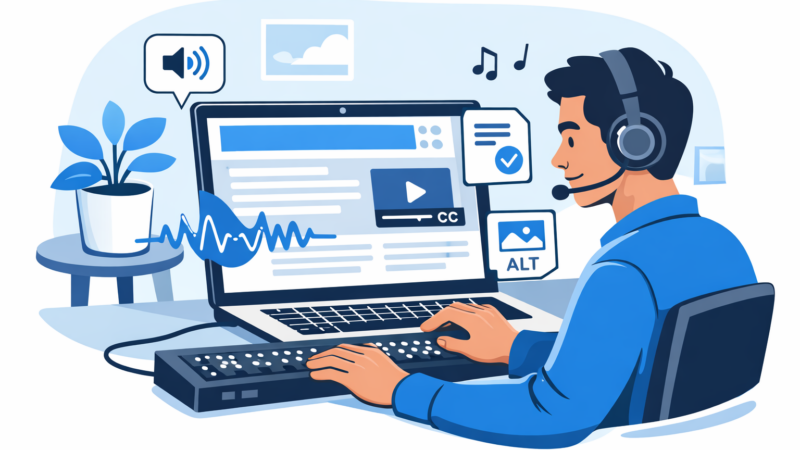
Web accessibility means designing and developing websites so that people of all abilities can use them effectively. This includes people with visual, auditory, motor, cognitive, and neurological disabilities, as well as people experiencing temporary or situational limitations.
An accessible website allows people to:
- Navigate using a keyboard instead of a mouse
- Use screen readers or voice control software
- Read text with sufficient color contrast
- Understand content with clear structure and labels
- Access captions, transcripts, and alternative text
When these needs aren’t considered, entire groups of users are unintentionally excluded.
The Impact of Inaccessible Websites
The following examples are based on personas, not on specific individuals.
A Visually Impaired Job Seeker
Sandra is a college student who is visually impaired. She uses a screen reader to browse the web and apply for internships. But many job application websites rely heavily on images without alternative text, buttons without labels, and form fields that don’t announce errors properly.
What takes a sighted user ten minutes might take Sandra an hour or might not be possible at all. Deadlines are missed. Opportunities disappear.
This isn’t a usability issue. It’s a barrier to equal opportunity.
A Person with Limited Mobility
Javier has limited mobility and uses voice recognition software to navigate online. On many websites, small clickable elements, complex menus, or poorly structured navigation make interaction frustrating or impossible.
Forms require precise mouse movements. Menus reset unexpectedly. The site technically “works,” but not for him.
When accessibility is ignored, independence is taken away.
A Student with Hearing Loss
Shawn has hearing loss and loves online video courses. Sites without captions exclude much of the educational world for him.
But when those videos have accurate captions and transcripts, they open up learning, joy, and independence.
Suddenly the web becomes a tool for growth — not a closed room with a locked door.
Accessibility and Inclusion are Increasingly Legal Requirements
Some companies have learned this the hard way. Lawsuits over inaccessible websites are increasingly common, as the law in many countries — like the Americans With Disabilities Act in the U.S. — considers digital discrimination to be real discrimination.
For example, organizations have faced legal action for failing to provide alternative text on images or proper navigation for assistive tech users, disadvantaging people who rely on those crucial features. The lesson is clear: access isn’t optional, and the legal and ethical stakes are real. Wire Media
This is why accessibility standards like the Web Content Accessibility Guidelines (WCAG) exist — not as a box-checking exercise, but as a roadmap for inclusion. They outline levels of compliance (A, AA, AAA) to guide development that truly considers user needs at every turn.
Accessible Websites Benefit Everyone
There’s another side to this story: accessibility features benefit all users.
For people without permanent disabilities — say someone browsing on a small phone in bright sunlight — things like high contrast text, clear labels, and responsive design make content easier to read and interact with. Even when people have slow internet connections or temporary injuries they can interact more smoothly with accessible design. W3C
In other words, accessibility isn’t niche — it’s better design for everyone.
Real-World Impact
Where accessibility improvements have been made, the results are powerful.
Organizations that remediate accessibility barriers often see improvements in engagement, satisfaction, and even conversions. That’s because clearer structure and navigation help all people. People with disabilities report greater independence and less reliance on help from others when websites function with their tools. Accessible Minds
E-commerce platforms that adopted inclusive design didn’t just “fix a problem” — they tapped into broader audiences and saw measurable growth. And educational platforms that made learning accessible saw increased enrollment and participation.
These are wins not just for business metrics, but for individual people.
Next Steps
Improving web accessibility is not a one-time task. It’s an ongoing commitment. It starts with awareness; extends into content, design and development practices; and continues through testing, user feedback, and iteration.
Here are a few key steps:
- Audit your site for barriers with automated tools and human testing.
- Follow WCAG standards as a baseline.
- Include users with disabilities in testing and feedback, and in design and development if possible.
- Train teams on accessibility best practices.
- Iterate and maintain — accessible content stays accessible only if it’s maintained.
Ultimately, accessibility is about participation. It’s about creating a web where Sandra can apply for internships, Javier can browse freely, and Shawn can learn without barriers.
Accessibility isn’t just a checklist. It’s a chance to make the web what it was always meant to be: a place where everyone belongs.
Additional Reading:
- W3C Web Accessibility Perspectives Videos: understand how real people use the web in different circumstances